Word Post
Vocabulary flashcards with spaced review: missed words come back soon, known words wait for weeks.
Screenshots
Screenshots supplied by the seller.
Description
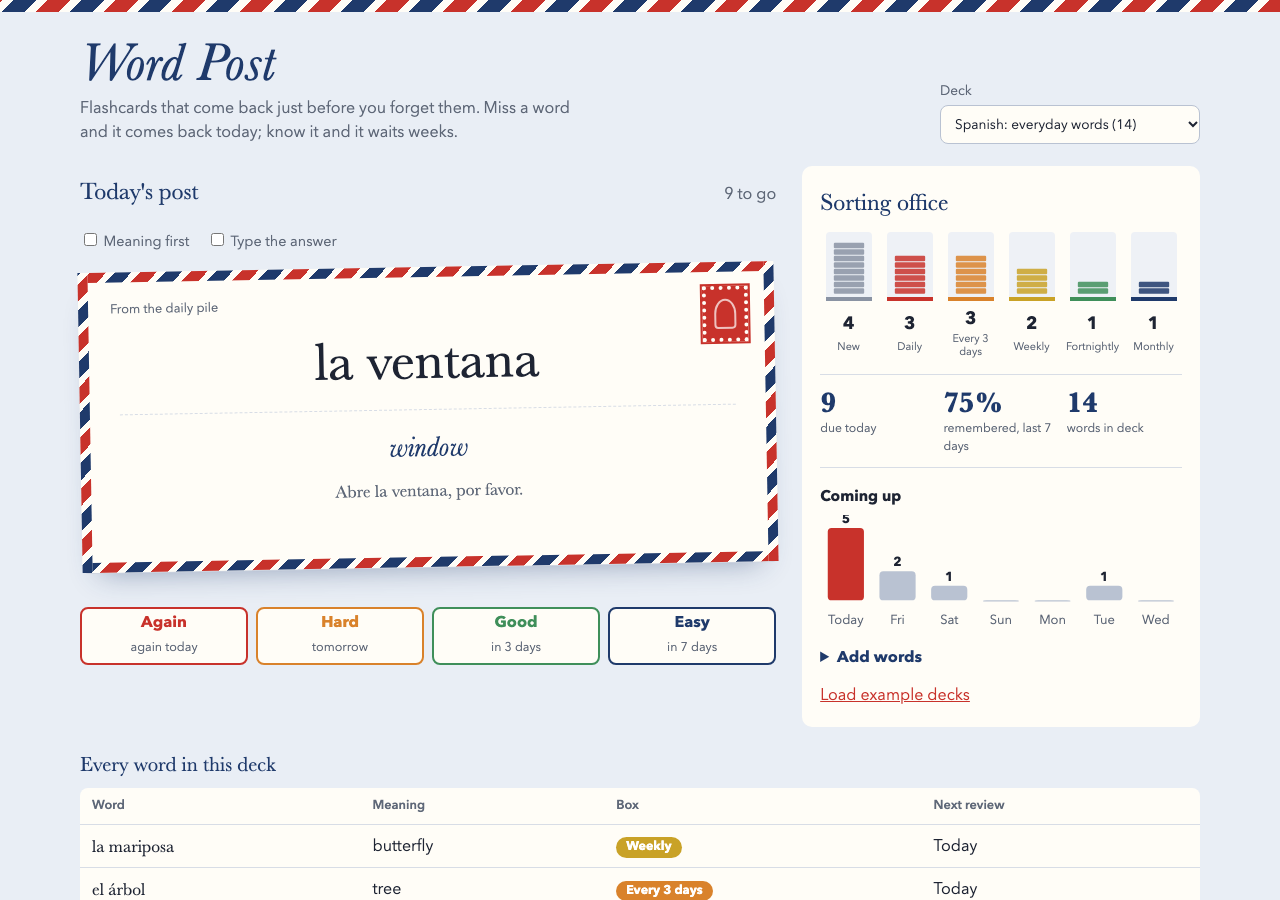
Word Post helps language learners keep the words they study. Paste in a list as word, meaning and example sentence, and each word becomes a postcard. Today's post is the set of cards due now, plus up to ten new words a day.
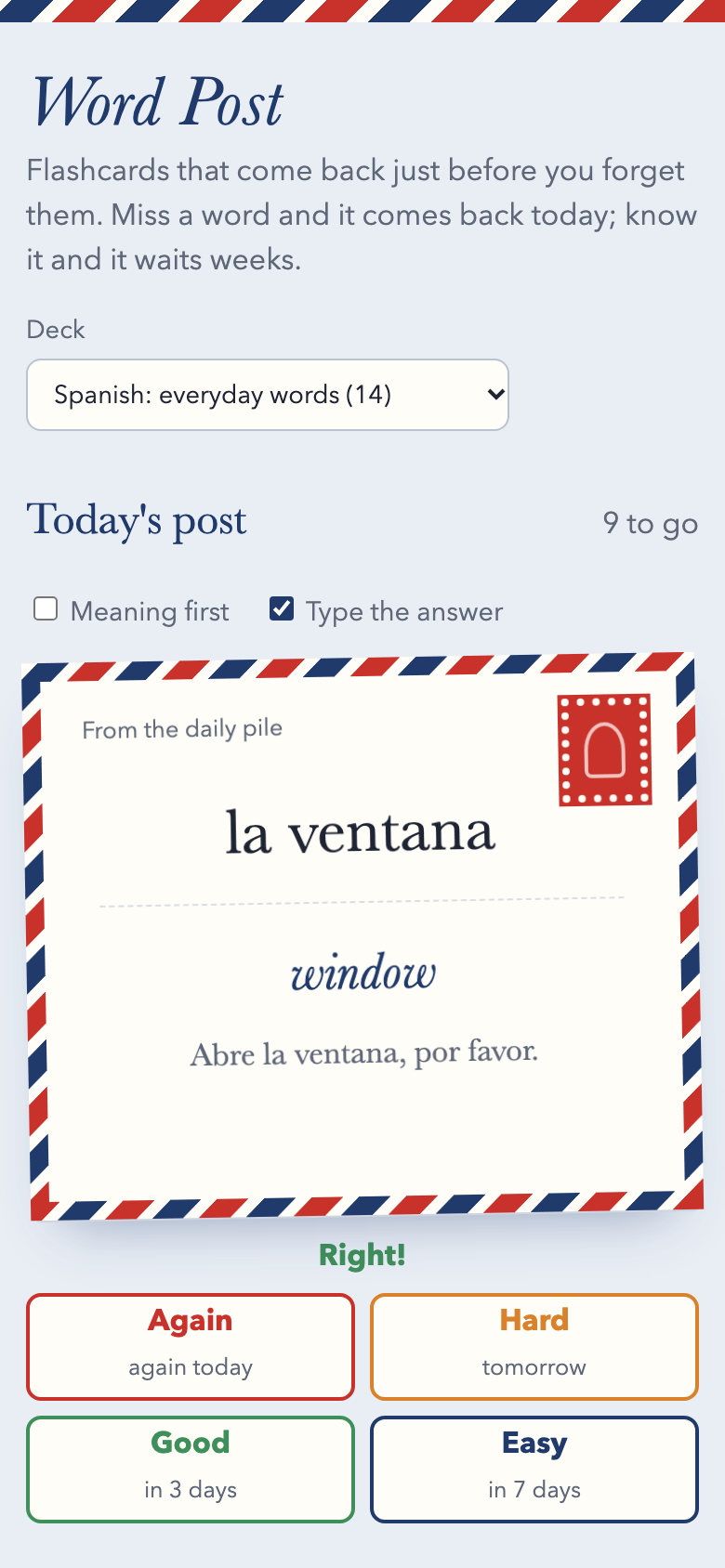
Grade each card Again, Hard, Good or Easy, and every button shows when you'll see the word next. Missed cards come back in the same session, and words you know move through five piles, from daily to about monthly.
Practise word first or meaning first, and type your answers if you want a stricter test. The typed check forgives capitals, accents and a leading article, so 'arbol' counts for 'el árbol'.
The sorting office shows how many words sit in each pile, how much you remembered this week and how many reviews are coming over the next seven days. Plain HTML, CSS and JavaScript with no server or running costs, in an airmail design.
Condition
Development stage: Working prototype (seller-declared)
Seller-declared: provided by the seller, not independently verified by SellMyVibe.
- Solo creator
- Mainly AI-generated
- Under one month in development
- Mobile-friendly
- Tests included
- Setup guide included
- Demo available
What works
- Several decks, with words added by pasting a list
- Duplicate words skipped when adding
- Spaced review across five piles
- Again, Hard, Good and Easy grades showing the next review date
- Missed cards repeat in the same session
- Limit of 10 new words a day
- Meaning-first and typed-answer modes
- Keyboard shortcuts: space to reveal, 1 to 4 to grade
- Pile counts, weekly recall rate and a 7-day forecast
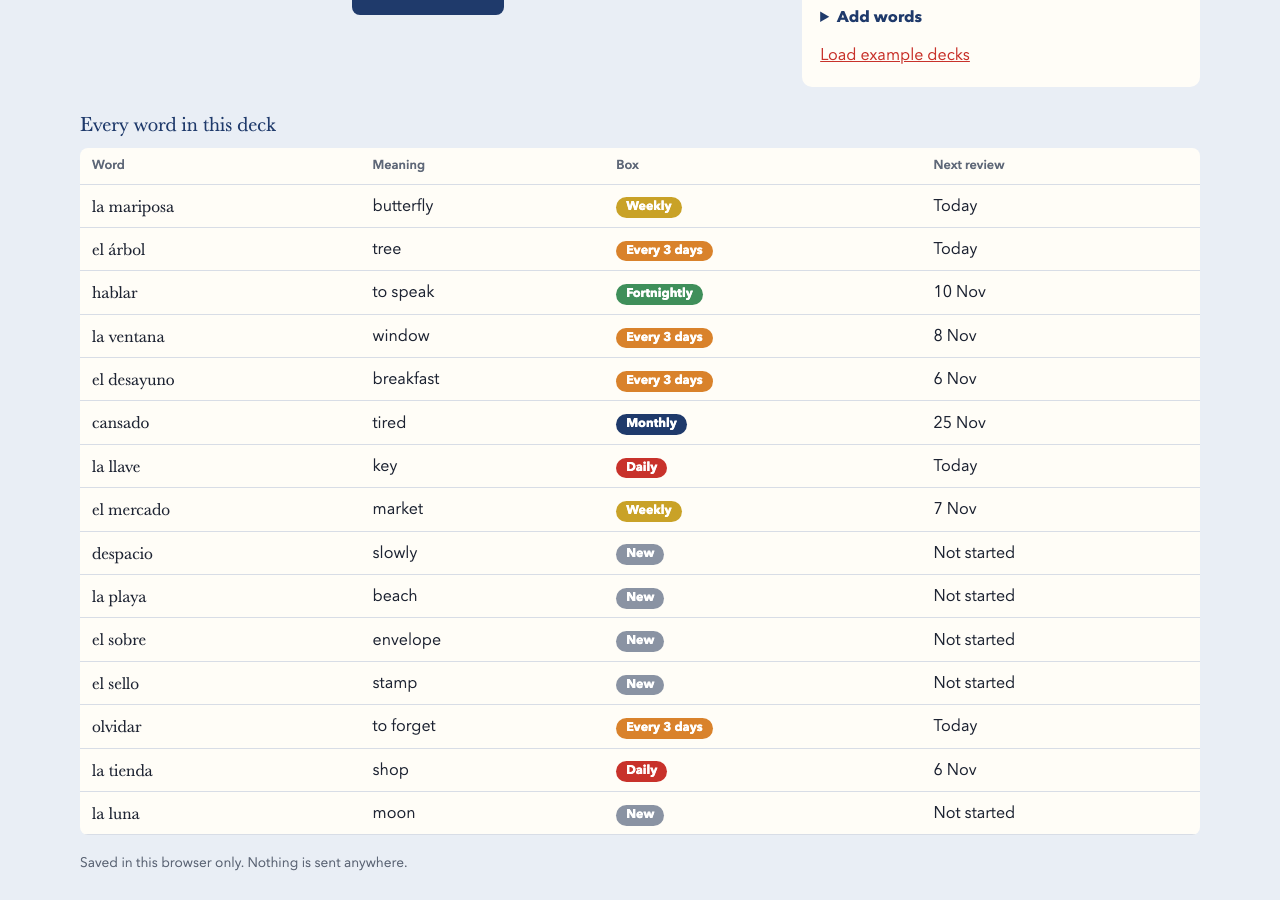
- Word list showing each card's pile and next review
- 6 tests covering parsing, grading, the queue and progress numbers
What’s unfinished
- Cards can't be edited or deleted yet
- No audio pronunciation
- No import from Anki or similar apps
- No syncing between devices
Included assets
Full source code
Test suite
Documentation
Technologies
HTML, CSS, JavaScript (ES modules), SVG, localStorage, Node test runner
Setup requirements
Upload the files to any static web host. To try it locally, run python3 -m http.server and open http://localhost:8000. Run the tests with npm test (Node 20 or newer).
Dependencies and ongoing costs
None. It's a static site that runs free on any web host and uses system fonts.
Known limitations
Decks and progress are saved in localStorage on one device; clearing browser data removes them.
Listings are reviewed for completeness and clarity before publication. Approval is not a guarantee of quality, ownership, security or commercial success. Read the details and ask questions before buying.