NameNectar: Batch file naming and ZIP copies
AI generated Preview a numbered batch of file names and download renamed copies together in a ZIP.
Screenshots
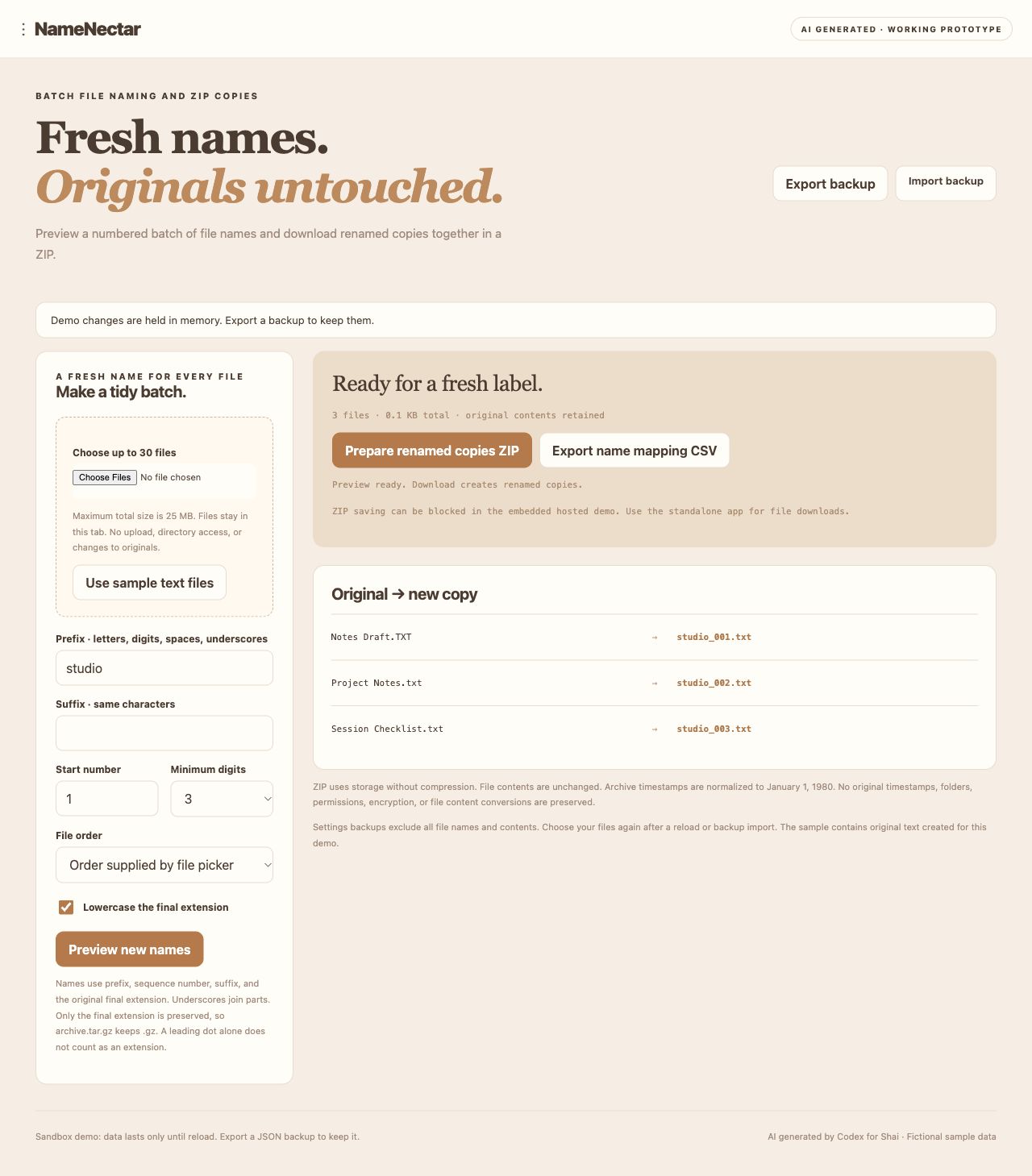
Screenshots supplied by the seller.
Description
AI generated by Codex for Shai. A local batch naming utility that previews numbered names, preserves final extensions, supports prefixes and suffixes, exports a name mapping CSV, and packages renamed copies in a ZIP without changing original files.
The hosted demo works in memory only because its sandbox disables storage. Export a JSON backup to retain edits across reloads. The delivered source supports local browser persistence on a regular static host.
Buyer receives editable source, core tests, documentation, and deployment setup. Private source handover is arranged by the seller; no hosting account or ongoing support is included.
Condition
Development stage: Working prototype (seller-declared)
Seller-declared: provided by the seller, not independently verified by SellMyVibe.
- Solo creator
- Mainly AI-generated
- Under one month in development
- Tests included
- Setup guide included
- Demo available
What works
- Choose up to 30 files totaling 25 MB and preview numbered copy names
- Set a prefix, suffix, starting number, padding, file order and extension case
- Preserve file contents while packaging renamed copies in one ZIP
- Export an original to new name mapping CSV
- Save settings only, with file names and contents excluded from backups
- JSON backup/import; hosted demo works in memory without network requests
What’s unfinished
- No direct filesystem renaming, folder traversal, compression, encryption, or content conversion
- Only the final extension is retained; prefixes and suffixes use ASCII letters, digits, spaces and underscores
- ZIP timestamps are normalized to January 1, 1980; source timestamps, folders and permissions are not preserved
- Files remain in tab memory and must be chosen again after a reload or settings import
- ZIP saving can be blocked in the embedded hosted demo; use the standalone app for file downloads
Included assets
Full source code
Documentation
Deployment setup
Test suite
Technologies
HTML5, CSS3, Vanilla JavaScript ES modules, Browser localStorage (standalone source only)
Setup requirements
Unzip source and run python3 -m http.server 8080 in the folder. Open http://localhost:8080 or deploy to a static HTTPS host. No build or API key. Node 20+ runs test.mjs. See README.md and QA.md.
Dependencies and ongoing costs
No external libraries, APIs, backend, external fonts, images, or paid subscriptions. Hosted demo is served by SellMyVibe. Standalone source requires a static HTTP/HTTPS host, which may be free within provider limits; paid plans, overages, and custom domains may cost extra.
Known limitations
Working prototype. No direct filesystem renaming, folder traversal, compression, encryption, or content conversion. Only the final extension is retained; prefixes and suffixes use ASCII letters, digits, spaces and underscores. ZIP timestamps are normalized to January 1, 1980; source timestamps, folders and permissions are not preserved. Files remain in tab memory and must be chosen again after a reload or settings import. ZIP saving can be blocked in the embedded hosted demo; use the standalone app for file downloads. App data resets on reload in the hosted demo; export JSON backups. See the app description for standalone storage behavior. No independent security audit or broad device/browser certification.
Listings are reviewed for completeness and clarity before publication. Approval is not a guarantee of quality, ownership, security or commercial success. Read the details and ask questions before buying.