Frequency Fleet
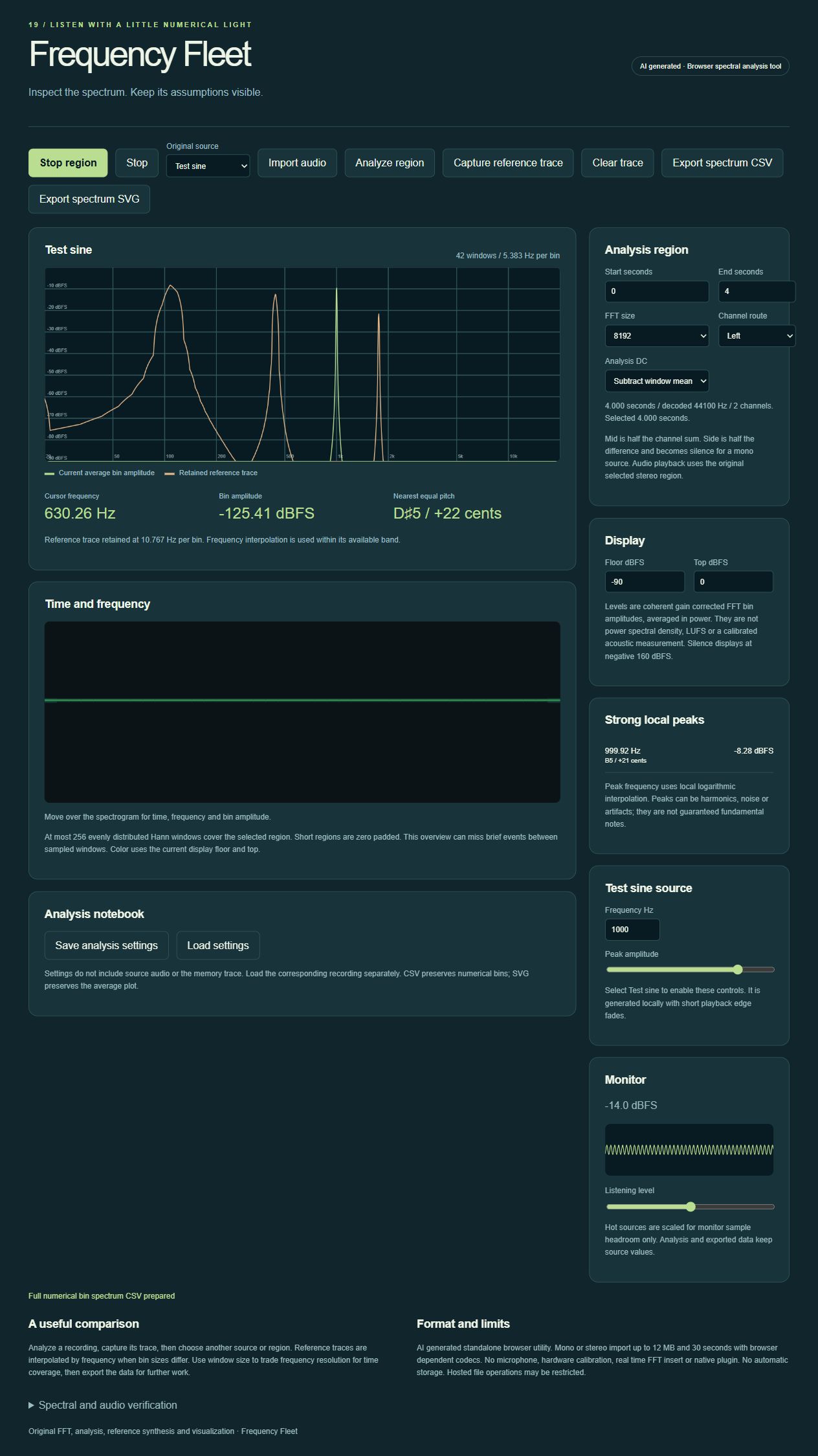
AI generated spectral analysis desk with a spectrogram, calibrated FFT bin amplitudes, channel views and data export.
Screenshots
Screenshots supplied by the seller.
Description
AI generated. Frequency Fleet is a standalone browser utility for inspecting short audio recordings and original reference signals.
Analyze a selected region with 1024 through 8192 point Hann windows. View averaged coherent gain corrected bin amplitudes, a log frequency spectrogram and interpolated local peaks. Left, right, mid and side routes expose channel differences without changing source data.
Capture a memory trace for comparison, audition the original region, generate a test sine, and export numerical spectrum CSV or a vector SVG of the current spectrum. These are PCM bin measurements, not calibrated acoustic levels, LUFS or guaranteed fundamental pitch estimates.
Condition
Development stage: Mostly built (seller-declared)
Seller-declared: provided by the seller, not independently verified by SellMyVibe.
- Solo creator
- Mainly AI-generated
- Under one month in development
- Tests included
- Setup guide included
- Demo available
What works
- Original radix two FFT and Hann window analysis
- Four FFT sizes and selected region analysis
- Power averaging with coherent gain corrected bin amplitudes
- Log frequency spectrum and windowed spectrogram
- Left, right, mid and side analysis routes
- Local peak interpolation and nearest equal pitch labels
- Retained reference trace with frequency interpolation
- Original reference signals, test sine and local audio decoder
- Spectrum CSV, SVG and settings JSON files
- FFT energy, known level and stereo cancellation checks
What’s unfinished
- No microphone or hardware calibration
- No real time FFT DAW insert or native plugin
- No power spectral density, LUFS or true peak certification
- File picker import, completed downloads and settings round trip are not verified
Included assets
Editable source code
Setup and usage documentation
Original sound definitions
Audio verification checks and notes
Real running screenshot
Technologies
HTML, CSS, JavaScript, Web Audio API
Setup requirements
Open index.html or serve the folder with any static HTTP server. Use a deliberate play action to enable audio.
Dependencies and ongoing costs
No third party libraries, paid APIs or required services. A current Web Audio capable browser is required. Optional static hosting can be free.
Known limitations
AI generated standalone browser analyzer. Imports are mono or stereo, up to 12 MB and 30 seconds with browser dependent codec support. At most 256 evenly distributed windows cover a region; short selections are zero padded and brief events can be missed. Peak labels may identify harmonics or noise rather than a fundamental. Playback uses original stereo audio regardless of analysis route. Settings exclude audio and the memory trace. Hosted file operations may be restricted.
Listings are reviewed for completeness and clarity before publication. Approval is not a guarantee of quality, ownership, security or commercial success. Read the details and ask questions before buying.