EQ Compass
AI generated EQ listening trainer with original signals, matched comparison loops and frequency identification exercises.
Screenshots
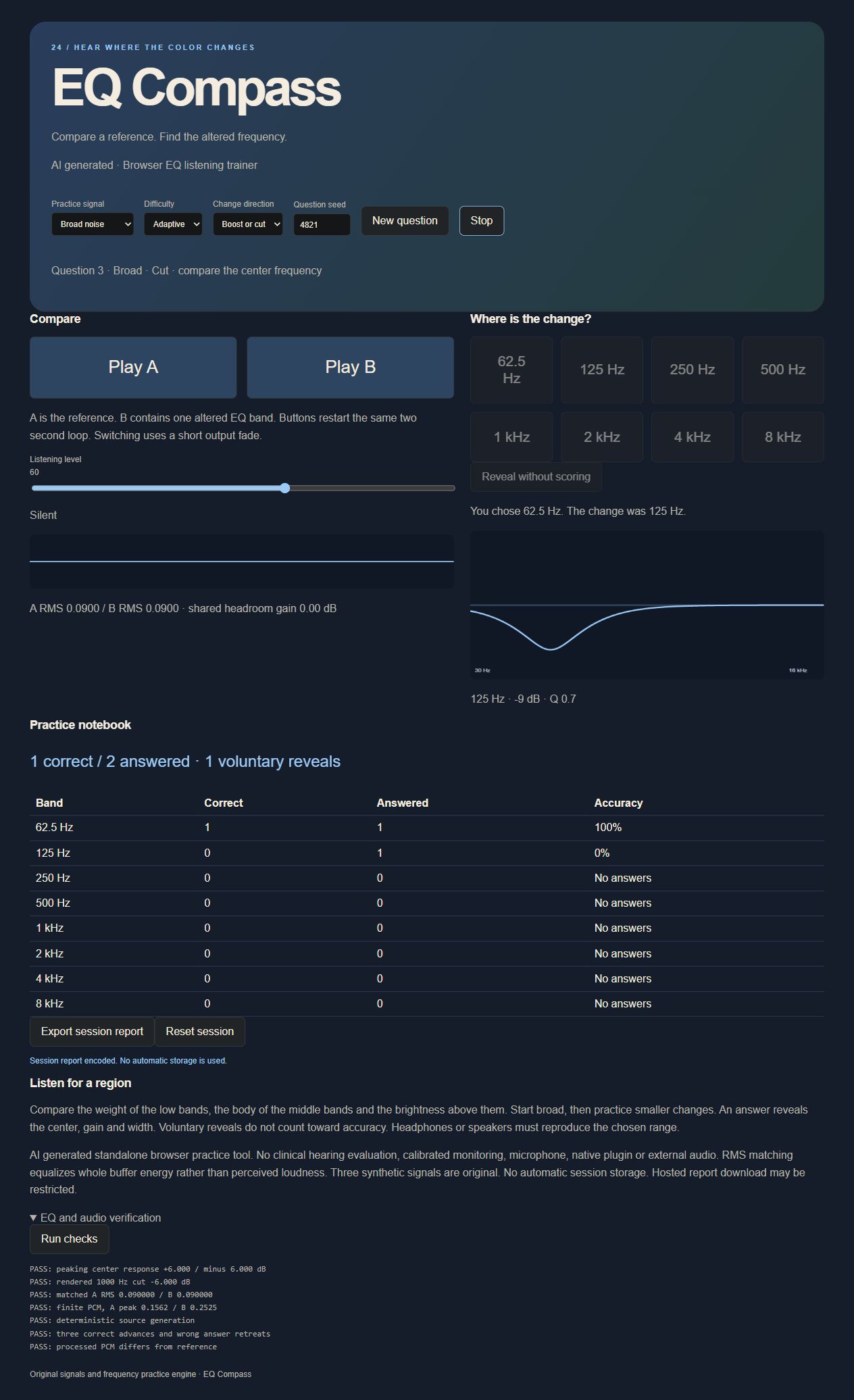
Screenshots supplied by the seller.
Description
AI generated. EQ Compass trains frequency recognition through controlled comparison rather than interval naming. Compare an original reference with a version altered by one peaking EQ band, then choose the affected center frequency.
Choose broad or focused exercises, boost, cut or mixed direction, and three original synthetic source types. Both examples share the same source and are RMS matched with joint headroom protection. Reveal shows the actual curve and center after an answer.
A seeded question sequence, per band performance table, simple adaptive difficulty and downloadable session report support repeatable practice. No microphone, hardware, external samples or network service is required.
Condition
Development stage: Mostly built (seller-declared)
Seller-declared: provided by the seller, not independently verified by SellMyVibe.
- Solo creator
- Mainly AI-generated
- Under one month in development
- Tests included
- Setup guide included
- Demo available
What works
- Seeded frequency recognition questions
- Eight octave spaced center frequencies
- Boost, cut or mixed EQ questions
- Three original generated signal types
- RMS matched A and B comparison
- Shared headroom protection and deliberate audio start
- Answer scoring and per band statistics
- Curve reveal after answer or voluntary reveal
- Adaptive difficulty and session JSON report
- Filter gain and matched audio checks
What’s unfinished
- No clinical hearing assessment or calibrated monitoring
- No microphone, hardware audio routing or native plugin
- Hosted downloads and other browsers unverified
Included assets
Editable source code
Setup and usage documentation
Original sound definitions
Audio verification checks and notes
Real running screenshot
Technologies
HTML, CSS, JavaScript, Web Audio API
Setup requirements
Open index.html or serve the folder with any static HTTP server. Use a deliberate play action to enable audio.
Dependencies and ongoing costs
No third party libraries, paid APIs or required services. A current Web Audio capable browser is required. Optional static hosting can be free.
Known limitations
Standalone browser ear training tool. Requires headphones or speakers that reproduce the selected range. It measures answers rather than hearing ability. RMS matching is whole buffer energy matching, not perceptual loudness normalization. Original synthetic sources are used, not commercial music. No automatic session persistence. Center labels and EQ curve stay hidden until an answer or reveal. Voluntary reveals are excluded from accuracy.
Listings are reviewed for completeness and clarity before publication. Approval is not a guarantee of quality, ownership, security or commercial success. Read the details and ask questions before buying.